
Augmented Reality is one of the most exciting technologies shaping the future of digital interaction. From social media filters and mobile games to virtual shopping and education, Augmented Reality is transforming the way people experience the world.
If you are interested in this technology and searching for a complete Augmented Reality tutorial, this guide is designed to help you understand everything simply and practically. This augmented reality tutorial for beginners explains what AR is, how it works, and how you can start building your own AR applications using Unity.
This guide is written for absolute beginners. You do not need any prior knowledge of 3D modelling, coding, or game development. By the end of this article, you will have a clear understanding of AR and how to begin creating your own projects using a powerful Unity-based augmented reality tutorial approach.
What Is Augmented Reality?
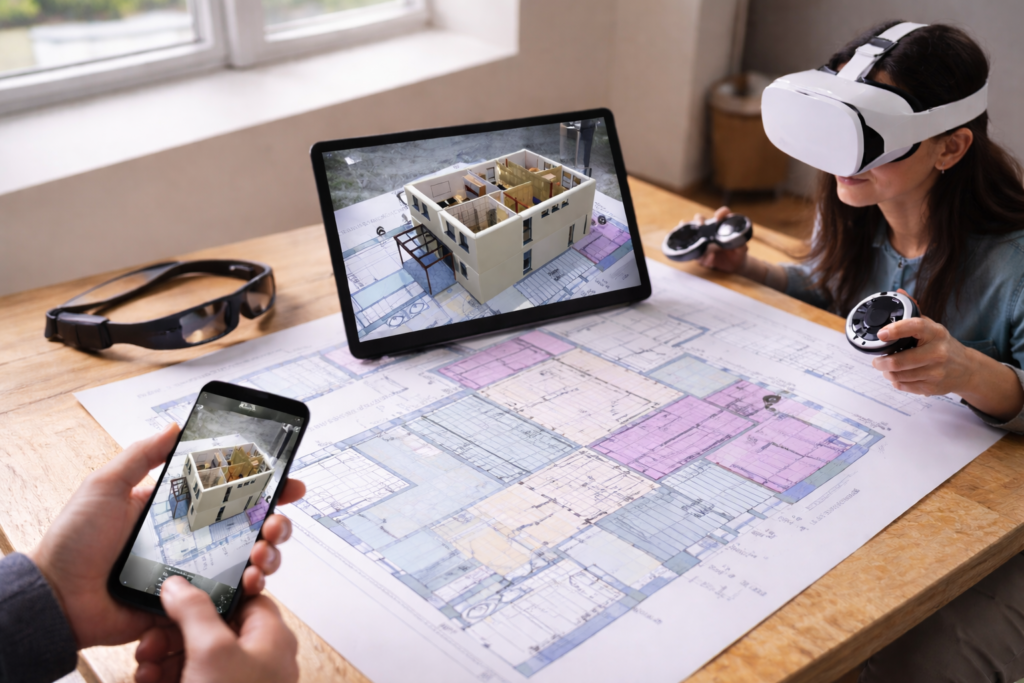
Augmented Reality, often referred to as AR, is a technology that combines digital objects with the real world. Unlike Virtual Reality, which creates a fully artificial environment, Augmented Reality enhances what you already see by adding digital elements such as images, animations, sounds, and 3D models. When you use Snapchat filters, Pokémon Go, or virtual try-on apps for glasses and furniture, you are experiencing Augmented Reality.
In simple words, Augmented Reality brings digital content into your physical surroundings. This makes it a powerful technology for gaming, education, healthcare, shopping, and training. This Augmented Reality tutorial aims to help beginners understand this technology without confusing technical language.
What Is the Need for Augmented Reality Technology?
Augmented Reality began developing in the early 1990s when it was first used in aviation and defence systems to assist pilots with navigation and real-time data. Since then, this technology has evolved rapidly and moved into everyday life. Today, AR is available on smartphones, tablets, and smart devices, making it accessible to millions of people. This wide reach has made AR an essential part of modern digital experiences. It allows users to interact with information more naturally, blending digital content with the real environment. Because of this, AR is now widely used in education, healthcare, shopping, gaming, and business. The ability to see and interact with digital objects in the real world makes AR far more useful than traditional screens, which is why it plays a key role in every modern Augmented Reality tutorial.
How Augmented Reality Works?
To understand how AR works, imagine your smartphone camera capturing the real world. The AR software then analyses the environment, detects surfaces, light, and movement, and places digital objects on top of what you see. These digital objects are not random. They stay fixed in space and move naturally when you move your phone.
Behind the scenes, AR uses sensors, cameras, and computer vision. The software measures the distance between objects and understands where floors, walls, and tables are located. This is why a virtual chair can sit on your floor and not float in the air. This Augmented Reality tutorial helps beginners understand that AR is not magic; it is a smart combination of hardware and software working together.
Types of Augmented Reality
There are different types of AR that you should know in this augmented reality tutorial for beginners. Some AR systems use special images or QR codes to trigger digital content. When you scan an image, a 3D object appears on top of it. This is called marker-based AR.
Another type is markerless AR, which uses GPS and sensors to place objects anywhere in the real world. Games like Pokémon Go use this technology. There is also projection-based AR, which projects images onto surfaces, and superimposition AR, which replaces part of a real object with a digital version.
All of these types are used in modern AR apps, and Unity supports most of them in its development tools.
What is Unity, and why is it used for AR?
Unity is one of the most popular game engines in the world. It is also one of the best platforms for building AR applications. When you follow an augmented reality Unity tutorial, you use Unity to create 3D scenes, add digital objects, and connect them to the real world using AR technology.
Unity is beginner-friendly and supports both Android and iOS. It also works with ARCore and ARKit, which are the main AR platforms for mobile devices. This makes Unity the perfect tool for anyone starting their Augmented Reality tutorial journey.
Getting Started With an Augmented Reality Unity Tutorial
To begin your augmented reality Unity tutorial, the first thing you need is Unity Hub.
Step 1: Install Unity Hub
Download and install Unity Hub from the official Unity website. Unity Hub helps you manage Unity versions and projects.
Step 2: Create a New 3D Project
Open Unity Hub, click on New Project, choose 3D Core, name your project, and click Create.
Step 3: Install AR Foundation
- Open Window → Package Manager in Unity.
- Search for the AR Foundation and install it.
- Also, install ARCore XR Plugin (for Android) or ARKit XR Plugin (for iOS).
Step 4: Set up AR Scene
- Delete the default camera.
- Add AR Session and AR Session Origin (or XR Origin) from the GameObject menu.
Step 5: Add AR Camera
- Inside the AR Session Origin, add an AR Camera.
- This camera will capture the real world and display AR content.
Step 6: Enable Plane Detection
- Select AR Session Origin and enable AR Plane Manager.
- This allows Unity to detect flat surfaces like floors and tables.
Step 7: Add 3D Objects
- Drag a cube, sphere, or 3D model into the project.
- This will be the virtual object placed in the real world.
Step 8: Place Objects Using Touch
- Use raycasting to detect where the user taps on a surface.
- When tapped, place the 3D object at that position.
Step 9: Add Interaction (Advanced)
- Add scripts to allow users to rotate, move, or scale objects.
- You can also add animations and sounds.
Step 10: Build and Run on Phone
- Connect your phone.
- Build the app for Android or iOS.
- Run it and see your 3D objects appear in the real world.
How AR Is Used in Real Life?
Augmented Reality is used in many industries today. In education, AR helps students learn by visualising complex topics like anatomy, planets, and machines. In shopping, AR allows customers to try clothes, glasses, and furniture before buying. In healthcare, doctors use AR to plan surgeries and train students.
Gaming is one of the most popular uses of AR. Games like Pokémon Go and AR racing games make players move in the real world while playing. Businesses also use AR for advertising and product demos. This shows how powerful and useful AR is in everyday life.
Why Beginners Should Learn Augmented Reality Now
The demand for skills in Augmented Reality (AR) is growing quickly, making it a great time to learn. By following a good AR tutorial today, you can set yourself up for exciting career opportunities in the future. Since AR is still evolving, beginners have a fantastic chance to become experts if they start learning now.
To get better at designing complex systems, it's important to practice regularly. Take some time to look at and analyze real-world systems that already exist. Pay attention to how popular apps are built and how they work. It's also essential to understand the different choices designers have to make when creating a system.
When you start thinking about a system, ask yourself some basic questions, like:
- Who will use it?
- What is the main purpose of the system?
- What are the key features it should have?
- How does information move through the system?
Over time, you'll find that these questions become second nature. The more you analyze and gain experience, the better you'll get at thinking about systems as a whole.
Conclusion
Augmented Reality is changing how we interact with digital content and the real world. From games and shopping to education and healthcare, AR is becoming a part of everyday life. This Augmented Reality tutorial has given you a clear and simple introduction to how AR works and how you can start creating your own experiences using Unity.
If you are a beginner, this augmented reality tutorial for beginners is your starting point. By following an augmented reality Unity tutorial, you can build real AR apps and enter one of the fastest-growing fields in technology. Now is the best time to start learning and exploring the world of Augmented Reality.